The Top Pages report analyzes how URLs for a domain perform across channels: organic search, AI Overviews, AI mode, ChatGPT, and Gemini. Use it to see whether each page appears in one channel or several, and cross-reference accordingly.
The data in the table reflects monthly metrics for the date (month) and region (database) selected at the top of the interface.
For each URL, the report shows:
- Traffic
- Traffic difference
- Traffic percentage share
- Keyword count
- Main keyword
- Referring domains
- LLM prompts
- Search intent
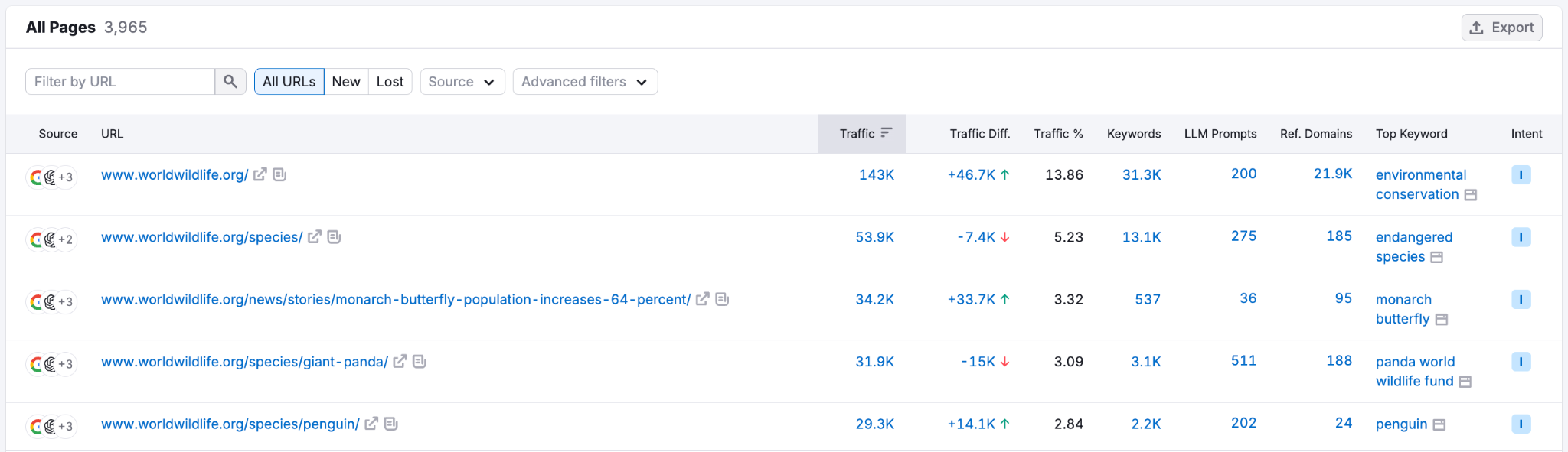
Cross-channel source analysis
Top Pages lets you see where each URL appears across the search landscape. Use the Sources filter to break down URL visibility by:
- Organic
- AI Overviews (AIOs)
- AI mode
- ChatGPT
- Gemini
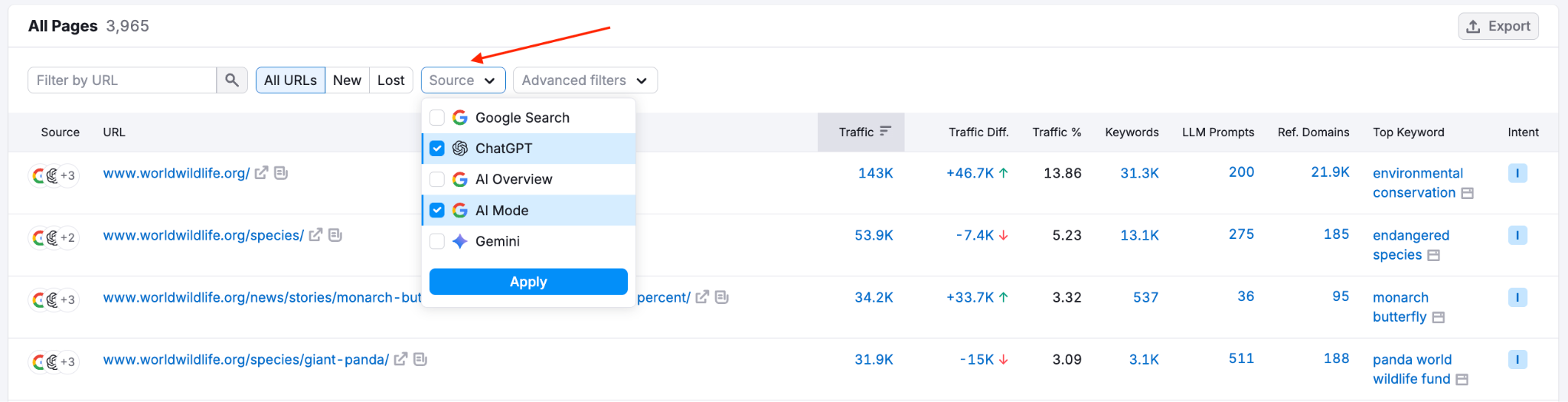
This lets you cross-reference the URLs (your competitors’ or your own) that are being picked up by multiple channels at once. A page appearing in multiple channels is a high-priority target.
For each URL, you can see the main keyword, referring domains, and LLM prompt volume, enabling you to evaluate whether it is worth targeting or replicating particular content.
Sorting and filters
You can sort the Top Pages table by traffic, traffic percentage, traffic difference, keywords, and LLM prompts.
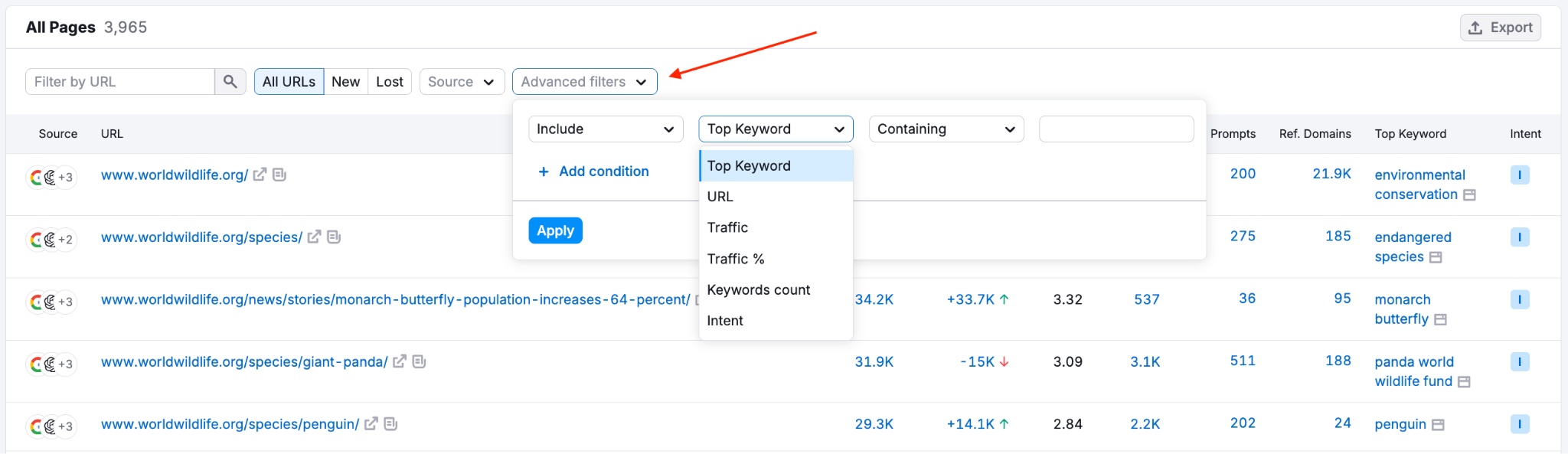
Use the search field or Advanced filters to filter by specific words in URLs, keyword count, or traffic range. Use the Top Keyword filter to exclude branded queries or zero in on keywords with commercial or transactional intent. Use the Sources filter to limit results to a specific channel.
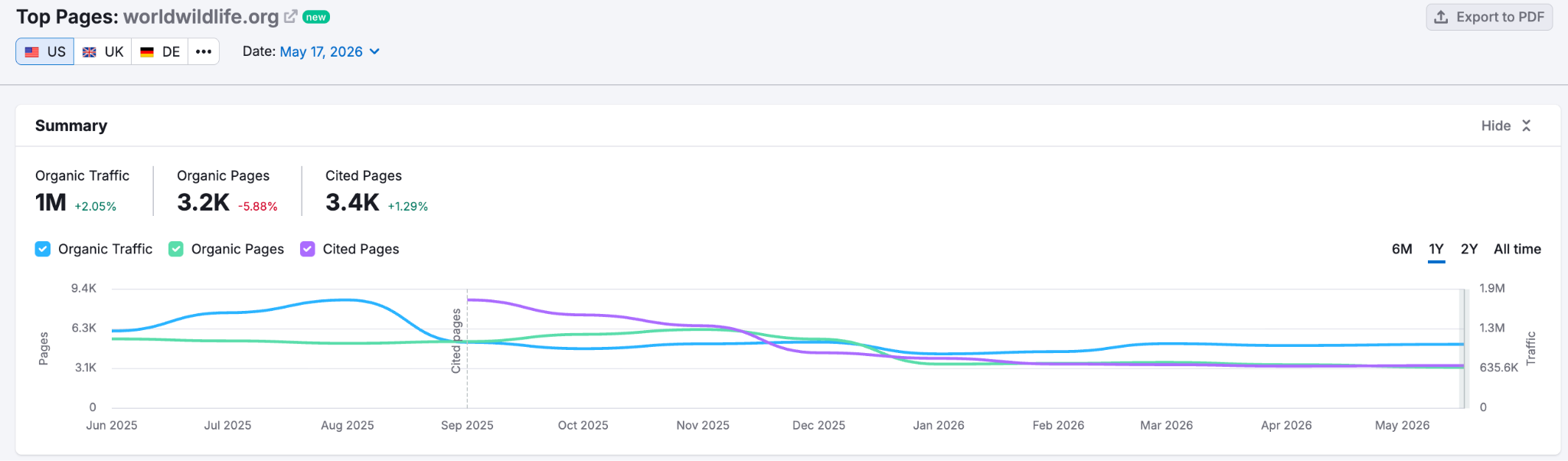
Trend graph
This shows how three key metrics evolve over time: the number of organic pages currently ranking, organic traffic, and cited pages. Track these month over month to understand your competitors’ content strategies and spot what's new, growing, or declining across both search and AI channels.
Export
You can export this report as PDF, Excel, CSV, or CSV semicolon.